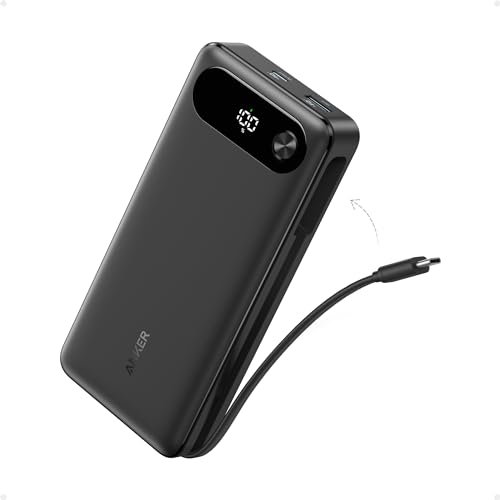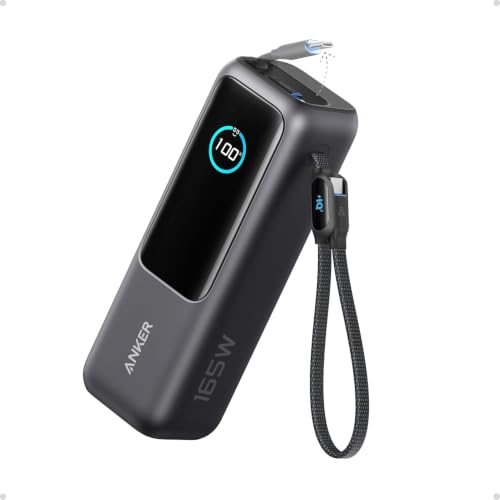
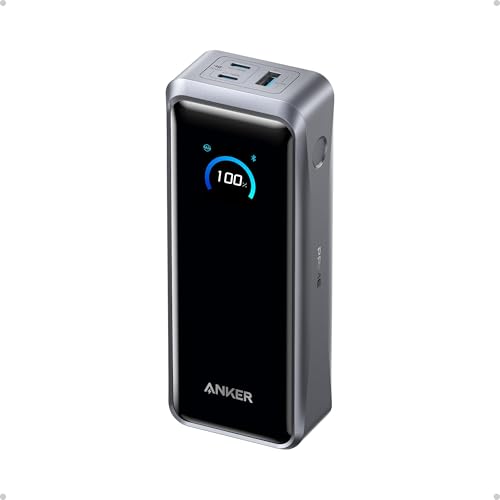
These are two high-capacity banks for laptop bags, and the weight is nearly a tie: Anker lists the A1695 at 595g and the A110A at 600g. The practical distinction is what your devices can use from one port, how much cable convenience matters, and whether a second charger is part of your refill plan. This comparison uses the US product records; the cited independent reviews describe their own units and test conditions.
If you are charging one laptop
Start with your laptop’s USB-C charging requirement. The A1695 offers up to 100W from one USB-C connection, including either built-in cable. The A110A raises that ceiling to 140W per USB-C port with a compatible device and 5A cable. If your laptop cannot use more than 100W, the extra A110A ceiling may not change your charging day; if it can use more, the A110A is the one of these two with that headroom. The actual rate still depends on the laptop and its negotiated USB-C profile. A1695 specifications A110A specifications
The A1695’s built-in cables are the concrete convenience difference: one retracts into the body, while the shorter cable forms a carrying loop. That can leave fewer loose leads in a bag. Its 165W headline applies to two USB-C connections sharing power, with neither connection above 100W; Anker’s listed allocations also depend on battery charge. A1695 cable and output specifications A1695 power allocation
If you charge two demanding devices together
The A110A is the more relevant candidate when both devices can benefit from higher USB-C output: Anker rates each USB-C port up to 140W, while the total 300W is shared across two USB-C outputs and USB-A. Techtest reported that its A110A could deliver about 140W in its test but did not sustain the full 300W under a heavy load. That is one reviewer’s result, not a guarantee for every pair of devices. A110A specifications Techtest observations
The A1695 can still make sense for a laptop and a phone: two USB-C connections share up to 165W, and its attached cables avoid packing separate leads. It is a less compelling fit if both connected devices need more than 100W from their own port, or if you need high output across three or four devices at once. A1695 power allocation
If you need the bank ready again quickly
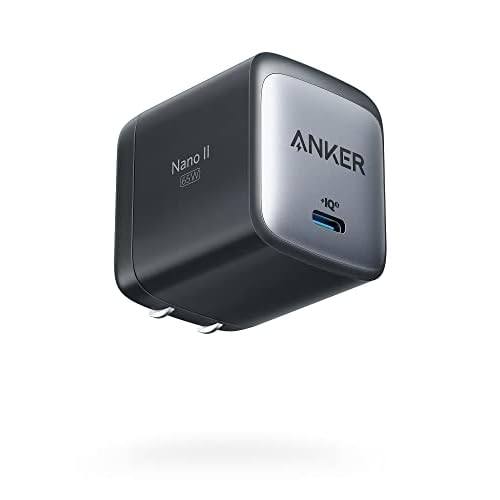
The A110A supports up to 250W input through two USB-C ports when paired with two suitable chargers and 5A cables; with one compatible charger, Anker lists up to 140W input. Techtest measured a 48-minute full refill with two 140W chargers and 59 minutes with one 140W charger on its unit. The extra speed comes with a larger charging setup, and those results depend on the chargers and conditions. Anker recharge specifications Techtest recharge test
For the A1695, Anker rates USB-C input up to 100W and estimates about two hours with a suitable 100W charger under its stated conditions. Expert Reviews also reported about two hours on its UK test unit. If you normally carry one charger, compare the single-input behavior that fits your routine rather than the fastest dual-input claim. A1695 specifications Expert Reviews test
For travel, compare watt-hours as well as weight
Anker rates the A1695 at 90Wh and the A110A at 99.75Wh at the cells. Both sit below 100Wh, but the A110A is much closer to that threshold. FAA guidance and airline-specific rules still apply; check the airline before flying, especially if it sets a lower limit. A1695 battery and FAA sources A110A battery and FAA sources
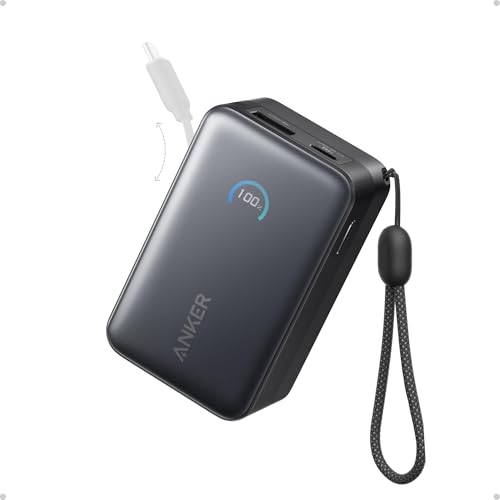
At 595g and 600g, neither is the lighter answer for phone-only days. The A1383 in our different-needs guide is listed at about 431g with up to 65W from one USB-C connection; a lower ceiling may be a reasonable trade if that covers your laptop. A1383 specifications
Read the full analyses
For model-specific output allocation, package identification, and reviewer test conditions, read the A1695 review and A110A review. For other carry styles and phone-first needs, return to the power-bank guide.
Specifications
Facts before interpretation
Key hardware differences
Specifications refer to the variants shown. Battery capacity, claimed endurance, and independently measured runtime are different quantities.
On narrow screens, scroll the table horizontally.
| Characteristic | Anker Laptop Power Bank (25K, 165W, Built-In and Retractable Cables) | Anker Prime Power Bank (26K, 300W) |
|---|---|---|
| Display | Shows battery level, input/output power, and estimated recharge timeAnker | On-device charging status display; Bluetooth app offers live statistics and power settingsAnker |
| Weight | 595 g / 20.99 ozAnker Support | 1.32 lb / 600 g, Anker specificationAnker |
| Battery | 25,000mAh at 3.6V / 90Wh; usable output is lower after conversion lossesAnker SupportAnker | 26,250mAh / 99.75Wh at the cells; delivered energy is lower after conversion lossesAnkerAnker |
| Built-in cables | Retractable 27.6 in / 70 cm cable; 11.8 in / 30 cm cable doubles as a carrying loopAnker SupportAnker | Not available |
| Charging | Each USB-C connection up to 100W alone; USB-A up to 33W aloneAnker SupportAnker Support | Not available |
| Ports / external display | Two built-in USB-C cables, one USB-C port, one USB-A port (3 USB-C connections plus USB-A)Anker Support | Two bidirectional USB-C ports and one USB-A outputAnker |
| Dimensions | 157 x 54 x 49 mm / 6.18 x 2.13 x 1.93 inAnker Support | 6.3 x 1.5 x 2.5 in (159.9 x 38 x 62.7 mm)Anker |
| Recharge input | Up to 100W through a USB-C cable or port; Anker estimates about 2 hours with a 100W charger under stated conditionsAnker SupportAnker | Up to 140W through one USB-C port using standard PD; up to 250W total with two suitable chargers and 5A cablesAnkerAnker |
| USB-C output | Not available | Up to 140W per USB-C port with compatible device and 5A cable; up to 300W total shared across three outputsAnker |
| Multi-device output | Two USB-C connections share up to 165W (each at most 100W); USB-C + USB-A up to 100W + 33W; three or four connections up to 130W total, with 100W priority and 30W shared across the rest. Anker says these allocations require at least 78% battery charge.Anker SupportAnker | Not available |
| US air travel | 90Wh is below the FAA 100Wh limit for a lithium-ion power bank; carry-on only, subject to airline restrictionsAnker SupportFederal Aviation Administration | 99.75Wh is below the FAA 100Wh power-bank threshold; carry-on only, subject to airline rulesAnkerFederal Aviation Administration |
| USB-A output | Not available | Up to 22.5WAnker |
Sources & evidence (13)
Trace the evidence
Sources
Linked sources are the underlying evidence. Fit judgments and explanations marked “Our analysis” are our interpretation.
- Official specification
Anker · Anker Laptop Power Bank (25K, 165W, Built-In and Retractable Cables) ↗
Accessed
- Official specification
Anker Support · Specification of Anker Power Bank (25K, 165W, Built-In and Retractable Cables) ↗
Accessed
- Official specification
Anker Support · How Power is Distributed in Anker Power Bank (25K, 165W, Built-In and Retractable Cables) ↗
Accessed
- Reviewer observation
Expert Reviews · Anker Laptop Power Bank (A1695) review: Essential for travel ↗
Accessed
- Official specification
Amazon · Anker Laptop Power Bank Amazon US listing (B0DCBB2YTR) ↗
Accessed
- Official specification
Anker · Anker Prime Power Bank (26K, 300W), US product page ↗
Accessed
- Official specification
Anker · Anker Prime Power Bank (26K, 300W) support ↗
Accessed
- Official specification
Amazon · Anker Prime 26K 300W Amazon US listing (B0F66LNB8D) ↗
Accessed
- Ecosystem documentation
Federal Aviation Administration · Airline Passengers and Batteries ↗
Accessed
- Reviewer observation
Macworld · Anker Prime 26K Power Bank (300W) review ↗
Accessed
- Reviewer observation
Techtest · Die Anker Prime 26K 300W Powerbank im Test ↗
Published · Accessed
- Official specification
Federal Aviation Administration · Airline Passengers and Batteries ↗
Accessed
- Official specification
Anker · Anker A1383 specifications and user guides ↗
Accessed
Keep exploring
Accessories / buying guide
65W vs 100W vs 140W: How Much Charging Power Do You Need?
What 65W, 100W, and 140W mean for your device, single-port output, and shared charging power.
Accessories / buying guide
Best Power Banks for Different Needs
Find a power bank for laptop headroom, a built-in cable, magnetic iPhone charging, or a charger-and-battery combo.
Accessories / buying guide
Best Power Banks for Laptops
Compare laptop power banks by single-port output, capacity, and the weight each step adds.