The 300W rating is shared across two USB-C ports and USB-A, not a 300W single-device output. This is a source-based analysis, not a Protein Picks hands-on test. The exact model in this review is the US A110A power bank; reviewer test results below describe their own test units and conditions. Anker specifications
Pros and cons
Pros
- Two USB-C ports rated up to 140W each for a laptop plus another demanding device.
- Macworld’s laptop test shows useful real-world capacity beyond the headline rating.
- Techtest measured a full refill in 48 minutes with two 140W chargers.
- The display and app help show and manage power across ports.
Cons
- 300W is a shared peak; Techtest could not sustain it under a heavy load.
- At 600g, it belongs in a bag rather than a pocket.
- The fastest refill needs two suitable chargers and cables; the charging base is a separate purchase.
Will the capacity and weight pay off in your bag?
For a laptop plus a second USB-C device, the capacity has a practical payoff. Macworld charged a 14-inch M2 Pro MacBook Pro once and reported 33% left in the bank, enough for nearly another quarter charge in its setup. That is one reviewer’s result, not a promise for every laptop. Macworld also found the bank fine in a backpack but too heavy for a pocket. For phone-only trips, a lighter bank makes more sense. Macworld test
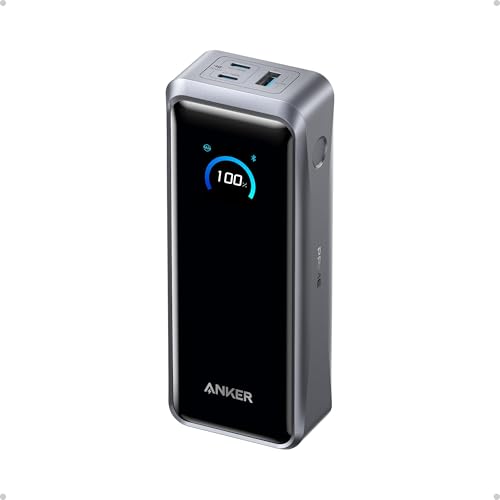
The display is more useful when several devices compete for power. It shows remaining charge and per-port input or output; Techtest also found that it reported a connected cable’s maximum supported power. Anker’s app adds live statistics and port power settings. If you only charge one device, those controls offer less value. Anker specifications Techtest test
What can two laptops actually draw?
Each USB-C port tops out at 140W with compatible gear; 300W is the maximum shared across both USB-C ports and USB-A. It is not a 300W single-device promise. Techtest’s A110A could deliver about 140W continuously in its test, but could not sustain 300W under a heavy load. If you need both laptops near their maximum draw for a long session, this is a poor fit; output varies with conditions. Protein Picks has not tested the bank. Anker specifications Techtest test
Is the rapid refill worth carrying two chargers?
The fastest refill takes both USB-C inputs and two suitable chargers with 5A cables. Anker rates that setup up to 250W, compared with up to 140W through one USB-C port using a standard charger. Techtest measured a full refill in 48 minutes with two 140W chargers, versus 59 minutes with one universal 140W charger on its unit. Those times depend on the chargers and conditions; Anker’s 50% in 13 minutes and 80% in 40 minutes are its own dual-input lab claims. If you will carry only one charger, the dual-input headline is less valuable. Anker recharge information Techtest test
Can it travel in cabin baggage?
Anker rates the bank at 26,250mAh / 99.75Wh at the cells; usable energy at a device is lower. That is just under the FAA’s 100Wh threshold. Under US guidance, carry power banks in cabin baggage, protected from damage and short circuits; check your airline’s rules, especially outside the US. Anker battery information FAA guidance
Is A110A worth $229.99 for you?
At $229.99 on Anker’s US store on October 1, 2026, you are paying for two high-power USB-C ports, substantial laptop backup, quick refill options and power monitoring. A lighter, cheaper bank is a better use of money if you charge one device, mainly top up a phone, or will not pack the chargers needed for the fastest refill. This is a dated Anker direct-store price for the power bank alone, not a verified Amazon checkout price. Anker US store
Amazon US ASIN B0F66LNB8D selects the A110A power bank alone; the charging-base bundle is a separate variation, B0F66PLGWG. Check the current merchant price, condition and bundle before buying. Amazon variation
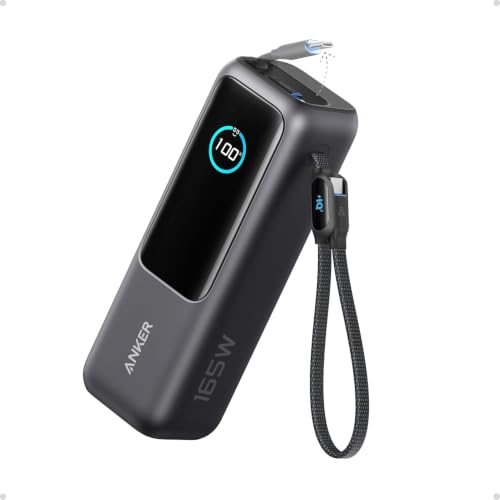
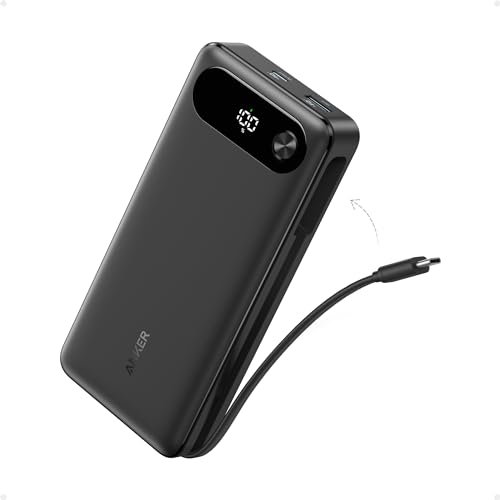
For a one-device bag charger, compare the Anker 25K 165W A1695, which has a lower single-device ceiling but two built-in USB-C cables. The A1695 vs A110A comparison weighs those differences by charging scenario; use the different-needs power-bank guide if you are still choosing a type of bank.
Specifications
Documented facts
Key specifications
- Rated battery
- 26,250mAh / 99.75Wh at the cells; delivered energy is lower after conversion lossesAnkerAnker
- Charging ports
- Two bidirectional USB-C ports and one USB-A outputAnker
- USB-C output
- Up to 140W per USB-C port with compatible device and 5A cable; up to 300W total shared across three outputsAnker
- USB-A output
- Up to 22.5WAnker
- USB-C recharge input
- Up to 140W through one USB-C port using standard PD; up to 250W total with two suitable chargers and 5A cablesAnkerAnker
- Display and app
- On-device charging status display; Bluetooth app offers live statistics and power settingsAnker
- Dimensions
- 6.3 x 1.5 x 2.5 in (159.9 x 38 x 62.7 mm)Anker
- Weight
- 1.32 lb / 600 g, Anker specificationAnker
- US air travel
- 99.75Wh is below the FAA 100Wh power-bank threshold; carry-on only, subject to airline rulesAnkerFederal Aviation Administration
Sources & evidence (6)
Trace the evidence
Sources
Linked sources are the underlying evidence. Fit judgments and explanations marked “Our analysis” are our interpretation.
- Official specification
Anker · Anker Prime Power Bank (26K, 300W), US product page ↗
Accessed
- Official specification
Anker · Anker Prime Power Bank (26K, 300W) support ↗
Accessed
- Official specification
Amazon · Anker Prime 26K 300W Amazon US listing (B0F66LNB8D) ↗
Accessed
- Ecosystem documentation
Federal Aviation Administration · Airline Passengers and Batteries ↗
Accessed
- Reviewer observation
Macworld · Anker Prime 26K Power Bank (300W) review ↗
Accessed
- Reviewer observation
Techtest · Die Anker Prime 26K 300W Powerbank im Test ↗
Published · Accessed
Keep exploring
Accessories / comparison
Anker A1695 vs A110A: which power bank fits your devices?
Compare the Anker A1695 and A110A by laptop output, built-in cables, charging two devices, refill setup, and carry weight.
Accessories / buying guide
65W vs 100W vs 140W: How Much Charging Power Do You Need?
What 65W, 100W, and 140W mean for your device, single-port output, and shared charging power.
Accessories / buying guide
Best Power Banks for Different Needs
Find a power bank for laptop headroom, a built-in cable, magnetic iPhone charging, or a charger-and-battery combo.