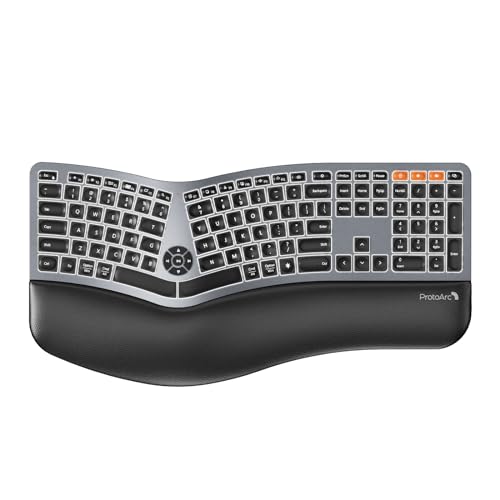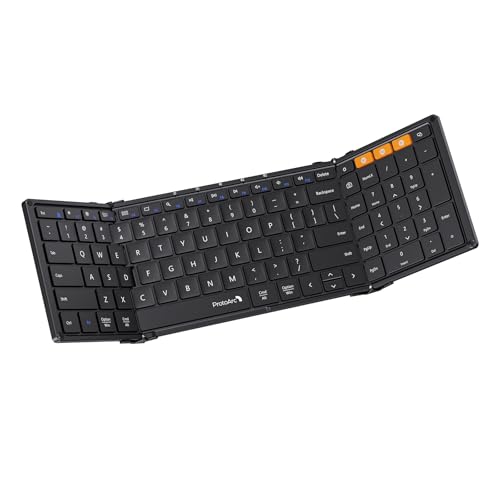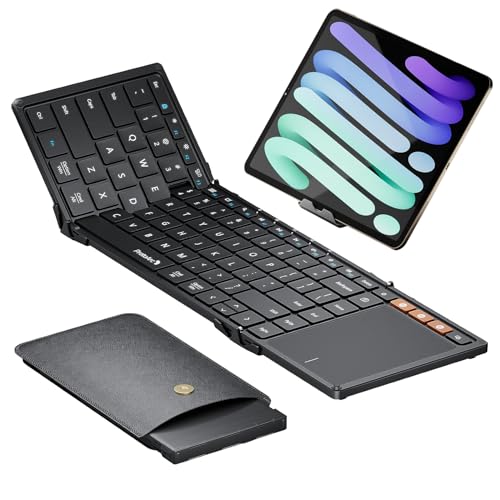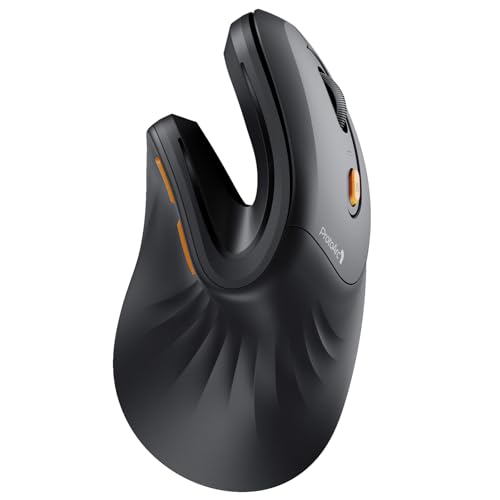
Verdict: The ProtoArc EM11 NL is worth considering if you want to try a vertical mouse, have a small or medium hand and need only basic pointing controls. ProtoArc recommends it for hands under 7.5 inches; its forward/back buttons are not programmable and do not work with macOS, and charging requires a cable. This is source-based analysis, not a hands-on test. ProtoArc’s product page ProtoArc’s FAQ
Pros
- The upright grip is a different option from a conventional flat mouse.
- Two Bluetooth channels and a 2.4GHz USB-A receiver provide three device connections.
- Three fixed sensitivity settings and quiet left/right clicks cover simple office use. ProtoArc’s product page
Cons
- The recommended fit is small to medium hands, and larger hands may find its shape cramped.
- There is no RGB lighting, button programming or Mac support for the forward/back buttons.
- Wireless describes its connection; the mouse charges by USB-A-to-USB-C cable, not wirelessly. ProtoArc’s FAQ
Will the EM11 NL fit your hand?
ProtoArc describes the EM11 NL as optimized for hands shorter than 7.5 inches. That is a useful screening point, not a guarantee: a MouseReview participant with a 21 × 11 cm hand said the mouse felt too small, while finding it comfortable with a fingertip grip. That reviewer disclosed receiving a sample for review, and the report reflects one person’s fit. ProtoArc’s product page MouseReview participant’s report
There can also be a learning period when moving from a flat mouse. AppleInsider’s reviewer found the vertical posture awkward and frustrating during several days of use. YugaTech framed the EM11 NL as an office mouse rather than a demanding gaming choice, citing limitations in customization and sensor precision for that use. These are distinct reviewers’ experiences; neither establishes that the shape will suit everyone. AppleInsider review YugaTech review
What works with Mac, and what does not?
The EM11 NL supports two Bluetooth pairings and one 2.4GHz USB-A receiver, plus 1000, 1600 and 2400 DPI settings. The controls are basic: ProtoArc says the buttons cannot be programmed, and its FAQ explicitly says forward/back navigation is not compatible with Mac. On macOS, expect ordinary pointer, click and scroll use rather than configurable navigation buttons. ProtoArc’s product page ProtoArc’s FAQ
ProtoArc’s FAQ specifies charging with a USB-A-to-USB-C cable. The mouse is wireless while in use, but it does not charge from a wireless charging pad. The FAQ also distinguishes the NL from the related EM11: the NL has no RGB lighting. ProtoArc’s FAQ
Consider the Black EM11 NL (Amazon US ASIN B0CX18LHWS) for straightforward office work if its size and grip suit you. Skip it if your hand is large, you depend on browser side buttons on a Mac, or you need programmable controls. See the product page and check that it names EM11 NL, not the RGB-equipped EM11. Amazon US destination
Specifications
Documented facts
Key specifications
- Manufacturer hand-size guidance
- Optimized for small to medium hands shorter than 7.5 inches; fit is personalProtoArcr/MouseReview
- Wireless connections
- Two Bluetooth channels plus one 2.4GHz USB-A receiver, for up to three devicesProtoArcYugaTech
- Buttons and Mac limits
- Forward/back buttons are not programmable and are not compatible with Mac OSProtoArc
- Charging
- Rechargeable battery; charging requires a USB-A-to-USB-C cable and is not wireless chargingProtoArcYugaTech
- RGB lighting
- No RGB lighting; ProtoArc distinguishes EM11 NL from the RGB-equipped EM11ProtoArc
- US model, color and Amazon ASIN
- ProtoArc EM11 NL, Black; Amazon US ASIN B0CX18LHWSPartnerBoost
Where to buy
Protein Picks may earn a commission if you buy through links on this page, at no extra cost to you. Affiliate disclosure.
Sources & evidence (7)
Trace the evidence
Sources
Linked sources are the underlying evidence. Fit judgments and explanations marked “Our analysis” are our interpretation.
- Official specification
ProtoArc · EM11 NL - Vertical Mouse for Small Hands ↗
Accessed
- Official specification
ProtoArc · FAQ - EM11 NL / EM11 ↗
Accessed
- Reviewer observation
YugaTech · ProtoArc EM11 NL Vertical Ergonomic Mouse Review ↗
Published · Accessed
- Reviewer observation
AppleInsider · ProtoArc EM11 NL vertical mouse review: a low-cost step to an ergonomic workspace ↗
Published · Accessed
- Long-term user report
r/MouseReview · ProtoArc EM11 NL Vertical Mouse Review ↗
Published · Accessed
- Official specification
PartnerBoost · ProtoArc EM11 NL, Black, Amazon US destination (B0CX18LHWS) ↗
Accessed
- Official specification
Amazon · ProtoArc EM11 NL Ergonomic Vertical Mouse (Black): Amazon US price ↗
Accessed
Keep exploring
Keyboards & Mice / product analysis
ProtoArc EK01 Plus review: a one-piece split keyboard for a full-size desk
The ProtoArc EK01 Plus pairs a fixed split layout with a numpad, palm rest and backlight. Its wide body and limited Mac receiver support shape who should buy it.
Keyboards & Mice / product analysis
ProtoArc XK01 review: a full-size foldable keyboard for travel
The ProtoArc XK01 folds a 105-key keyboard and number pad into a travel-size package. See what the Black B09TW35H1Z listing includes and where Bluetooth-only use and the carrying setup matter.
Keyboards & Mice / product analysis
ProtoArc XK01 TP review: a folding keyboard with built-in touchpad
The Black ProtoArc XK01 TP combines an 88-key keyboard, touchpad, phone stand and carry bag. Weigh its fixed scroll direction and reported shortcut limitations before choosing this travel setup.